In this article5 sections

Read the labels as answers to different questions
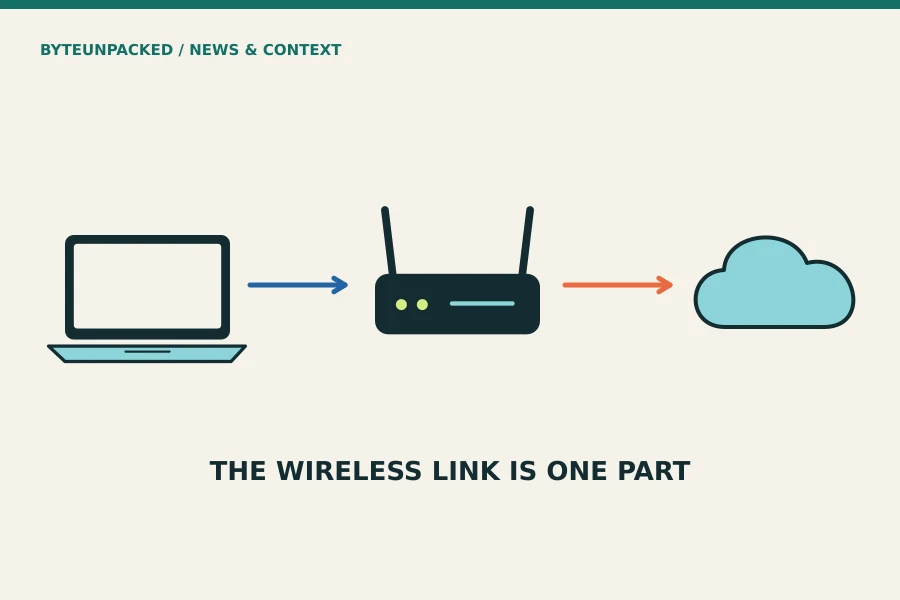
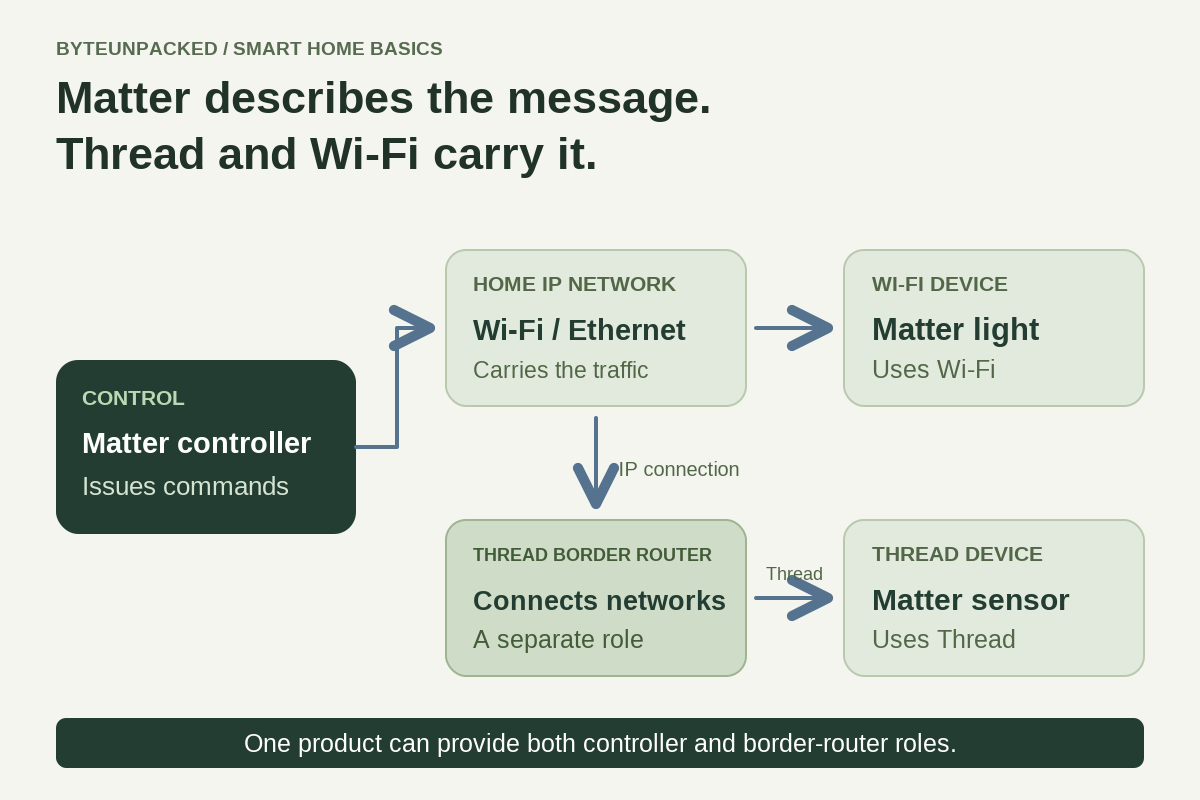
A light bulb can support Matter and use Wi-Fi. A sensor can support Matter and use Thread. These descriptions fit together because they describe different layers of the same system. The Connectivity Standards Alliance describes Matter as a protocol that uses existing networking technologies, including Wi-Fi, Thread, and Ethernet, with Bluetooth Low Energy used for setup.
Start your inventory with two columns: the device’s supported smart-home protocol and its network connection. Then add the platform you want to control it from. This avoids buying something merely because one familiar badge appears on the box. You are checking a complete route from the control app to the device, not collecting compatible-looking logos.
Thread supplies a network, not every smart-home feature
Thread Group describes Thread as an IPv6-based, low-power mesh networking technology. Its responsibility is the network layer; application protocols run above it. Thread support therefore does not, on its own, establish that a product supports Matter. Check the device’s actual specification rather than assuming every Thread accessory joins every Matter setup.
The low-power design is relevant to sensors and other small devices. Thread Group also describes sleepy end devices that rely on a parent to hold messages. Do not assume every battery-powered sensor will extend the network like a routing device. When investigating coverage, identify the roles of the products already installed instead of counting all accessories as equivalent mesh repeaters.
Wi-Fi and Thread are not competing labels for the whole home. You can have devices using both. For planning purposes, ask where each accessory connects and which network component must remain powered for it to work. This simple inventory is usually more actionable than debating which radio technology is universally better.
Separate the controller from the border router
A Matter controller issues commands to connected Matter devices. A Thread border router connects the Thread network with other IP networks such as Wi-Fi or Ethernet. The Alliance’s architecture guide treats these as distinct roles, even though one physical product can provide both. A box called a hub does not tell you which roles are present.
Google’s consumer setup guide illustrates the distinction: it lists hubs that support Matter over Wi-Fi and a smaller set that also support Thread. Its guidance requires a suitable hub for the Google Home setup, with border-router capability needed for its Thread devices. Check the exact model and generation in the current list; similar product names are not enough.
Before ordering another hub, inspect the specification of your existing speaker, display, router, or streamer. It might already provide the missing role. Conversely, owning a Thread border router is not a substitute for checking the controller requirements of the platform you intend to use. Note each role separately even when the same product fills both.
Compatibility includes the feature you want to use
Matter certification is useful, but the next check is the platform’s support for the device type and intended controls. Google’s developer documentation states that many Matter types are supported without all being fully supported. Its table distinguishes different control interfaces. A product appearing during setup does not answer whether every feature you bought it for is available in your preferred app.
Turn your requirement into a concrete question. For a light, do you need basic on/off control or a particular lighting effect? For a sensor, do you need to see its reading or trigger an automation from it? Check the manufacturer’s documentation and the platform’s current support list for that exact requirement. Treat an announced future update as a future possibility until its release is documented.
The Alliance also distinguishes a Matter bridge, which connects supported non-Matter devices through translation, from a Thread border router. Adding a border router does not automatically convert an existing Zigbee accessory into a Matter accessory. An appropriate bridge may provide a path, but its supported device list still needs checking.
Test one small, ordinary routine first
Choose one noncritical task, such as controlling a lamp, before moving an entire household routine. Record the model, firmware, app version, and roles involved. Follow the manufacturer’s setup instructions, then confirm the controls you actually need. Keep ordinary manual operation available while you learn how the system behaves.
Matter provides local connectivity, but remote access is a separate question. The Alliance says Matter-only devices need an internet-connected controller at home for control from elsewhere. Manufacturer cloud features may have their own requirements. Ask what happens to your chosen routine when internet access is unavailable, and verify that behavior using the product’s guidance rather than assuming every feature is local.
The goal is a small setup whose dependencies you can explain. Expand after its everyday controls work reliably in your home.
- List Matter support and network transport separately for each accessory.
- Identify the controller and, for Thread, the border router.
- Check the precise feature against the platform’s current support list.
- Try one routine and document local versus remote requirements.
Sources & further reading
This is a source-based explainer, prepared with AI assistance and checked against the references above. It is not a hands-on product test. Read our editorial approach.