In this article4 sections
- 01 / FREQUENCYWhere is the signal?
- 02 / MODULATIONHow is information carried?
- 03 / PROTOCOLWhat do the messages mean?
- 04 / PERMISSIONIs the operation authorized?
A conceptual map, not a transmission guide or a compatibility guarantee.
Start with the question, not the antenna
A small remote and a handheld tool may both mention the same radio frequency. That is a useful clue, but it is not an agreement about the language spoken over that frequency. Think of two people talking in the same room: being close enough to hear a voice does not mean they understand the same words or have permission to act on them.
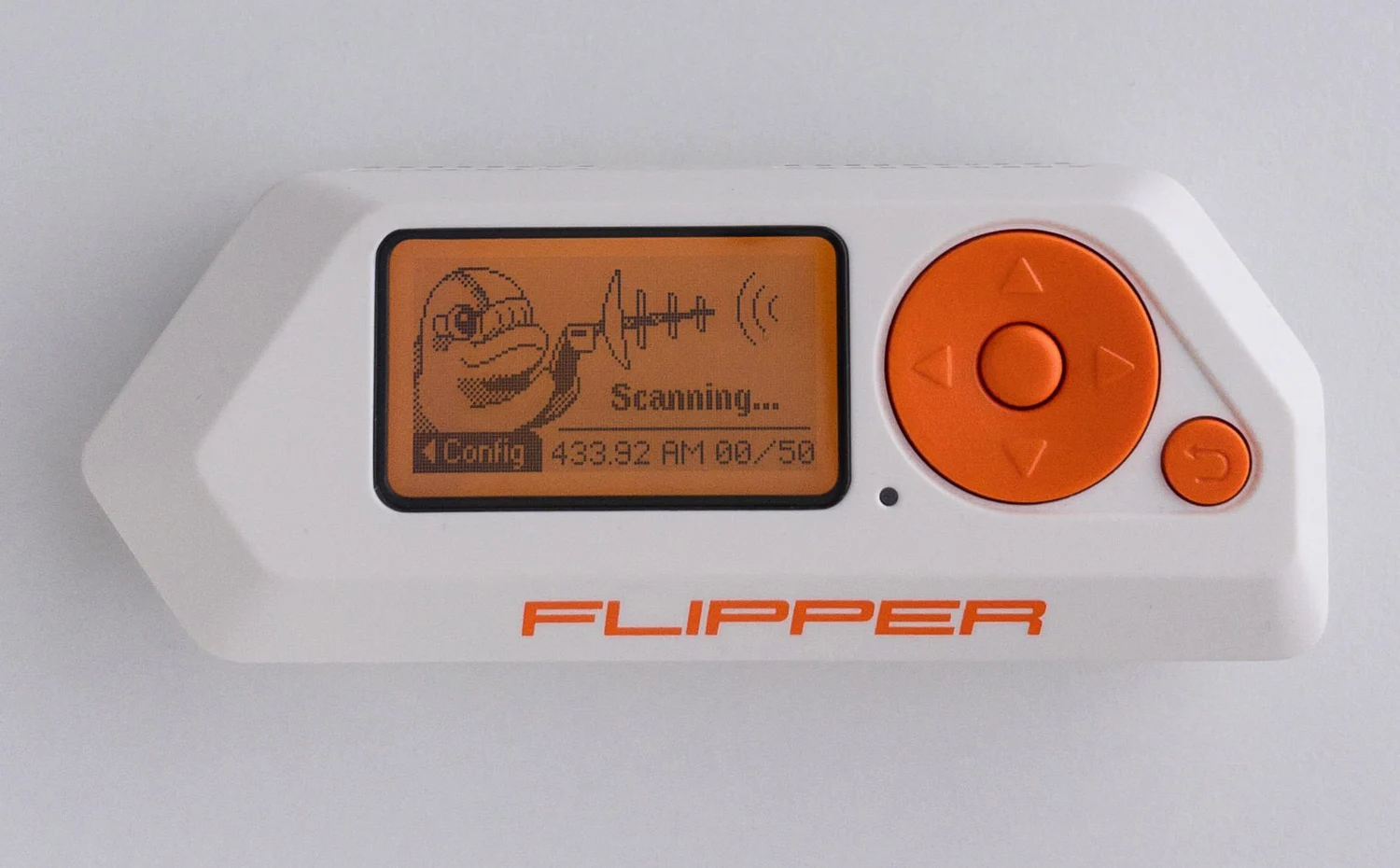
Flipper Zero combines several hardware functions in one portable interface. Its Sub-GHz feature concerns a particular group of radio frequencies, while NFC, infrared and other functions use different hardware or communication methods. A device that supports one category should not be assumed to understand every product that uses another.
This explainer describes the layers using official documentation. We have not tested a Flipper Zero, a remote, a lock, or a radio signal for this article. The aim is to help readers understand compatibility and choose informed, authorized learning activities—not to make promises about controlling someone else's equipment.
Frequency and modulation answer different questions
Frequency identifies where a signal is located in the radio spectrum. A receiver also needs a way to interpret how information has been placed onto that signal. That method is modulation. Two devices can use nearby frequencies and still use different modulation or other radio settings.
Flipper's documentation says its device is not a software-defined radio and describes choosing suitable modulation before receiving the relevant data. That distinction matters when comparing it with a HackRF: the two tools have different architectures, software and purposes. An antenna-shaped icon on a screen is not a universal radio receiver.
A practical reading of a specification therefore has at least two columns: supported frequency ranges and supported radio settings. Check the exact device and installed official firmware. Do not infer reception quality, useful distance, or reliability from a frequency label alone; those are separate questions involving the surrounding conditions and hardware.
A protocol adds meaning—and sometimes protection
After a receiver obtains a signal, software must interpret the structure of the message. A protocol defines that structure and the rules for exchanging information. Flipper distinguishes known-protocol decoding from raw signal capture in its documentation. A recording of a signal and an explanation of what the message means are different results.
Some systems change the values they use over time or apply other protections. A visible signal therefore does not establish that a protected system will accept an old message, reveal a secret, or grant access. The converse is also important: failure to decode one message does not diagnose every part of the receiving hardware.
For a legitimate learning project, use equipment and sample transmissions you own or are explicitly authorized to examine. Keep the observation separate from any action on a system. This is an educational description of the boundaries; it does not include steps to replay, disrupt or bypass another person's equipment.
Check the region and the exact result
Reception and transmission are not the same capability. Flipper publishes region-dependent transmission settings for its official firmware. Those settings are product documentation, not a substitute for understanding the rules that apply to your location and use. Do not treat a frequency shown in a menu as blanket authorization to transmit.
Write down the model, firmware version, relevant feature and what you actually observed. 'The device showed activity' is a different result from 'the software identified a known protocol.' Keeping those statements separate makes research repeatable and prevents an exciting product demonstration from becoming an unsupported compatibility claim. It also gives another reader enough context to check whether an apparent difference came from the version, settings, equipment or environment.
- Frequency locates a signal; modulation describes how information is carried.
- Protocol support depends on hardware and the software version.
- Receiving, decoding and transmitting are separate operations.
- Use your own equipment or a specifically authorized lab.
Continue exploring the Hardware Field Lab →
Sources & further reading
Sources checked .
This is a source-based explainer, prepared with AI assistance and checked against the references above. It is not a hands-on product test. Read our editorial approach.