What is actually inside a connected device?
Start with four layers. Suddenly the names on a circuit board become easier to understand.

- 01ChipThe processor and built-in capabilities.▦
- 02ModuleA chip packaged with supporting components.▣
- 03BoardConnections, power and room to build.▤
- 04DeviceHardware and software with a purpose.◉
Follow the layers
Imagine a small desk display showing the temperature. Its processor repeatedly reads a sensor, prepares a number and asks the screen to draw it. The processor is doing a job; the surrounding hardware makes that job possible.
A chip is an integrated circuit. A microcontroller puts processing, memory and interfaces together. Some also contain wireless hardware, but the family name alone does not tell you which radios are present.
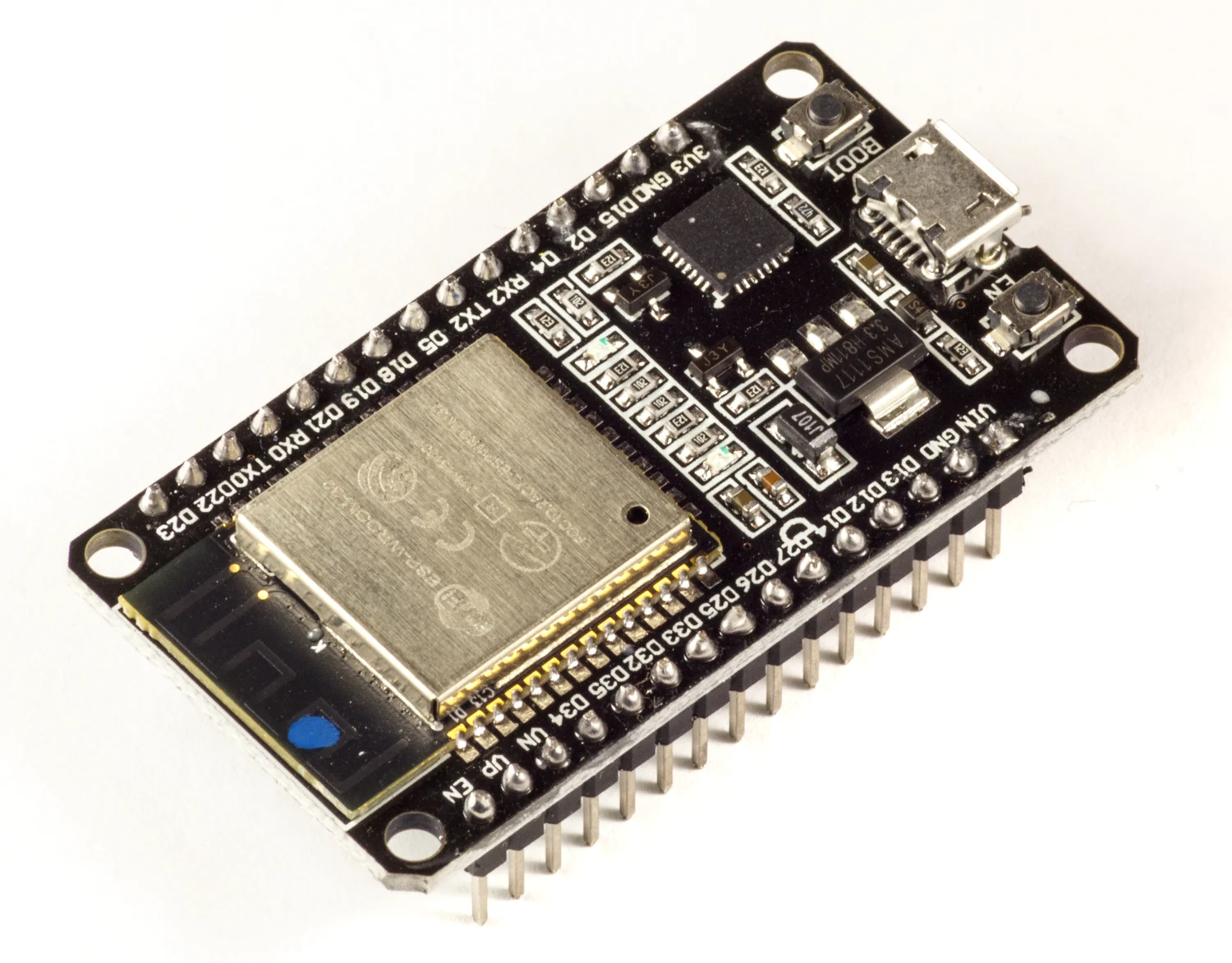
A module packages a chip with supporting components. A development board gives those components useful connections, a way to supply power and often a convenient way to program them. Some boards place the chip directly on the board, so a separate module is not a required step.
A device is the whole working system: its board, peripherals, enclosure, power source and software. A screen or an antenna is one part of that system, not proof of what it can do.
Storage is not working memory
Firmware needs somewhere to stay when power is off. It also needs working space while it runs. Those are different jobs. Flash stores programs and data; RAM holds the information being used. PSRAM adds working memory on supported hardware.
This distinction matters for a display: holding pixels, network data and application state can consume memory even when the program file itself is small. A larger flash number does not automatically solve a working-memory problem.
Go deeper: why the exact module matters
Memory size and interface mode vary. ESPHome’s PSRAM documentation distinguishes quad and octal modes on ESP32-S3. Use the module documentation and the software configuration together. A label that looks similar is not enough to copy another board’s settings.
Try the mental model
Take any documented device and identify five things: what processes information, what stores it, how it communicates, what the user touches, and how it gets power. Then find the firmware project. If one of those pieces is unknown, write down the gap rather than guessing.
Check your understanding: does more flash mean faster processing?
No. Flash capacity says how much can be stored. Processing speed, available working memory and the software’s behavior are separate questions.
Sources & method
Sources checked November 12, 2026. This explainer was prepared with AI assistance from the documentation below. Diagrams are original conceptual illustrations, not wiring instructions. We have not tested this hardware.
Your next connection.
The families, explained.
A sensor, a voice device and a graphical display do not need exactly the same hardware. Here is how to read the family names.
Build your understanding→One handheld. Several systems.
Unpack a documented LILYGO device to see how a processor, radios, controls and software become one portable interface.
Device anatomy→