In this article5 sections
Start with the lookup, then follow the connection
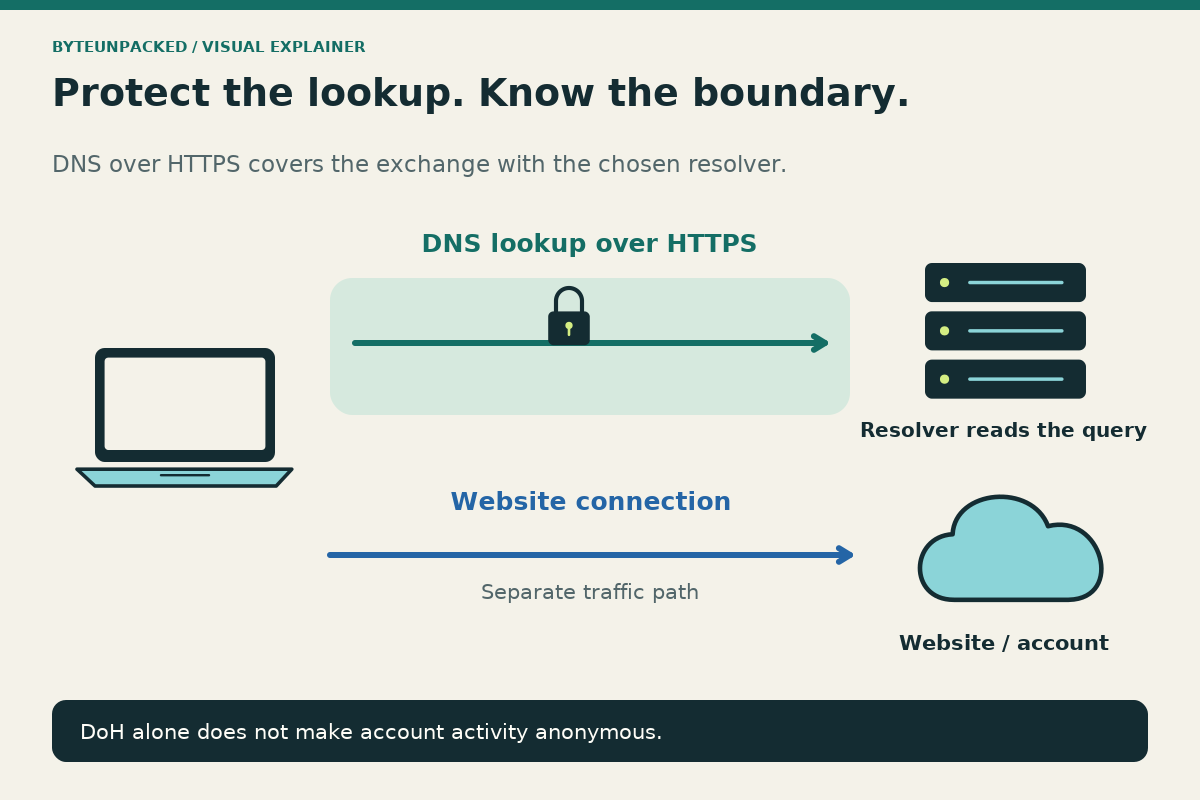
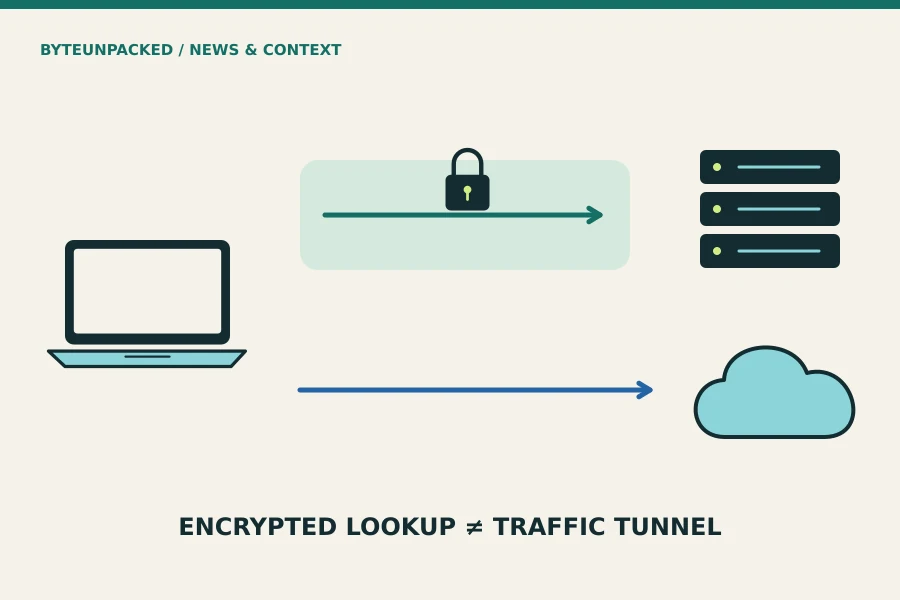
A browser needs a destination address before it can contact many websites. DNS supplies that information by answering questions about names. DNS over HTTPS, usually shortened to DoH, carries those questions and answers inside an encrypted HTTPS connection. The IETF specification describes protection between a DNS client and its chosen resolver; it does not turn every connection from the device into one encrypted tunnel.
That distinction makes privacy settings easier to evaluate. Ask which part of the journey a feature protects: the lookup, the website connection, or traffic routed through another service. A setting can do its own job correctly while leaving a different part untouched. Write down your actual goal before changing anything, such as protecting DNS requests from observation on a shared network.

The resolver still has a job to do
Encryption protects the DNS exchange on the way to the resolver. The resolver receives the question so it can answer it. RFC 8484 explicitly separates privacy on the network from privacy at the server, where addresses and other connection information can help correlate requests. Choosing encrypted transport therefore does not remove the need to consider who operates the resolver.
Mozilla describes contractual privacy requirements for providers in its Trusted Recursive Resolver program, including restrictions on retention and monetization. Those requirements belong to that program. They are not a property automatically granted to every server offering DoH. If you enter a custom provider, read its own policy and identify what it retains, for how long, and for what purpose.
A useful note has three entries: the provider, the setting that selects it, and the policy you relied on. This also helps later if a browser update, network change, or new VPN makes the behavior different. A recognizable company name by itself does not explain the exact service configuration.
Encrypted DNS is narrower than a traffic tunnel
Cloudflare makes the scope difference explicit in its WARP documentation. DNS only mode encrypts queries to its resolver but does not tunnel device traffic. Its Traffic and DNS modes send traffic through WARP as well. The product name is consequently less informative than the active mode. A security app installed on a phone can be configured to protect only one part of the connection.
Because DoH alone does not reroute your website connection, it does not by itself replace the address the website sees with a VPN exit address. It also does not make an account login anonymous. For example, signing into a shopping account still tells that service which account is being used. These are practical consequences of the limited scope, not evidence that encrypted DNS has failed.
Even a broader tunnel needs a precise description. Cloudflare cautions that WARP does not provide anonymity. Avoid translating either a secure-DNS badge or a VPN connection indicator into a promise that nobody can identify you. Decide which observer and which information your chosen protection is intended to address.
Check fallback and the current status
In Firefox, open Settings, Privacy & Security, then the DNS over HTTPS section. Mozilla documents a status indicator showing Active, Not active, or Off. Check that status on the network you actually use. Merely remembering that you enabled the feature does not establish that the current requests use it.
Firefox Default protection can fall back to ordinary resolvers when there are problems, and can disable DoH in response to VPNs, parental controls, enterprise policies, or network signals. Max protection instead warns when secure resolution fails and offers a per-domain exception using system DNS. Review the current wording in your installed version before choosing between availability and stricter failure behavior.
On a managed work or school device, use the documented network configuration rather than working around policy. If an internal resource stops resolving after a change, record the resource, network, selected provider, and error. That gives the administrator a concrete issue to investigate without guessing that every failure requires a new resolver.
Make one change and verify its scope
Start with one browser or device, keep a record of the prior configuration, and test ordinary browsing plus any local resources you rely on. If you also use a VPN, consult its DNS instructions before combining custom settings. A browser-level setting is not evidence that another application uses the same path.
Keep the result modest and specific: this browser reports secure DNS active with this provider on this network. That is more useful than a universal privacy claim. Recheck after changing network software or moving to a different connection.
- Identify whether the setting covers DNS only, one application, or a wider traffic tunnel.
- Check the selected resolver and its privacy policy.
- Review fallback behavior and the current status indicator.
- Keep website identity, account sign-ins, and DNS transport as separate questions.
Sources & further reading
This is a source-based explainer, prepared with AI assistance and checked against the references above. It is not a hands-on product test. Read our editorial approach.