In this article5 sections
Treat the recap as a draft record
A meeting summary becomes consequential when somebody acts on it. A sentence saying that Maya will deliver a report on Friday can create an expectation even if the discussion only suggested asking Maya. Before circulating AI notes, check the commitments that could change someone’s work, spending, or timetable.
Microsoft explicitly warns that AI content in Teams recap can be inaccurate or incomplete, and describes the event transcript as a basis for generated content. Google also warns that Meet summaries may be incomplete or inaccurate. Those cautions give a practical reason to review the result. They do not mean every note needs to be rewritten from scratch.

Check what the recording actually covers
Before the meeting, agree on whether AI notes or a recording are appropriate, who will receive them, and how sensitive parts will be handled. Tell participants what is enabled, including people joining late. Follow your organization’s process and confirm consent where appropriate. This is a coordination step; an icon alone may not explain what everyone expects.
Google’s Meet guidance says participants are notified when its note-taking feature is running and that notes can be stopped and restarted. Its separate transcript documentation says the transcript contains spoken words, not meeting-chat messages. Therefore, a relevant correction typed into chat may need a separate check rather than being assumed to appear in the transcript.
Afterward, confirm the meeting date and whether capture started late or stopped early. Identify missing material such as a separately shared spreadsheet or a discussion after the recorder stopped. If a claim rests on missing material, label it unresolved and ask the participants who were involved. Do not let a polished recap hide a gap in the record.
Verify commitments one row at a time
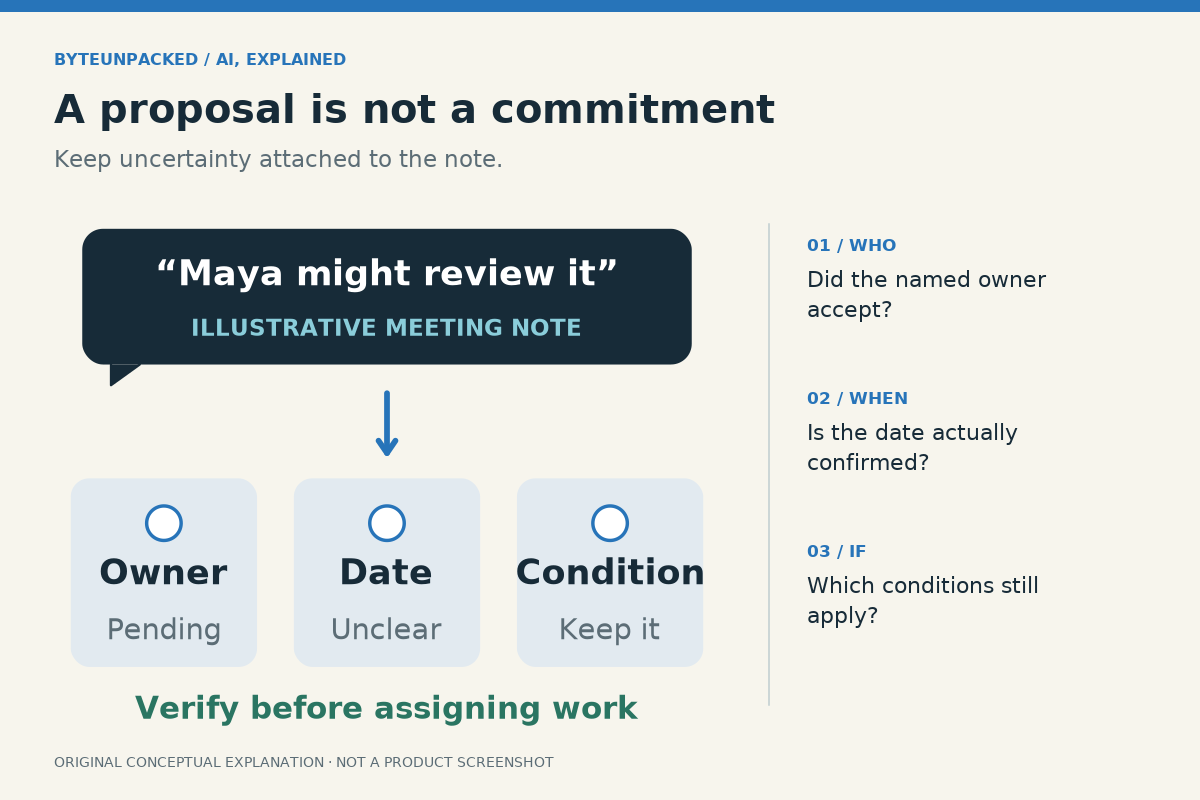
Create a small action list with five fields: task, owner, due date, status, and supporting timestamp or passage. Ask the assistant to leave unspecified fields blank. Then inspect the source for each item that matters. The goal is to confirm the assignment, not merely to find the person’s name somewhere in the discussion.
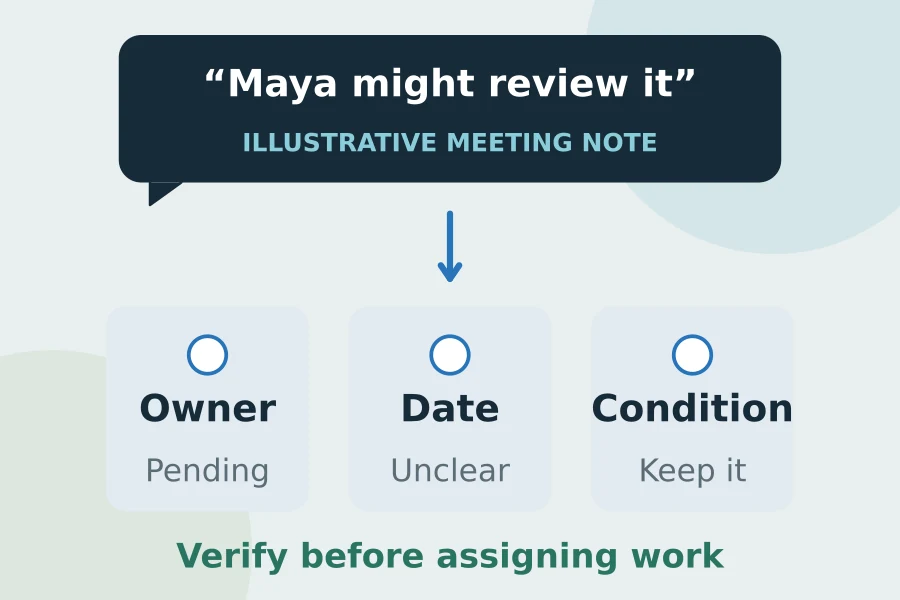
Use the following fictional example as a test. Alex says, “Maya might be able to review it next week.” That supports a possible reviewer and a rough period. It does not establish that Maya accepted the work or that delivery is due on Monday. A useful note preserves the uncertainty: reviewer and date to be confirmed.
Check names and numbers against the transcript, then replay the relevant audio if available and something looks wrong. The transcript is also an automated representation of the meeting. If two people share a microphone or a name is misheard, repeating the transcript’s wording in a summary does not independently validate it. Confirm the commitment with the person when the source is ambiguous.
Separate decisions from options and conditions
Make separate lists for decisions, proposals, and open questions. For every claimed decision, look for the point where agreement was reached and check the nearby discussion for conditions. A team can prefer an option while still waiting for a quote or a technical review. Dropping that condition changes the meaning of the meeting.
In a fictional planning call, “Let’s launch Friday if the accessibility review passes” should retain the dependency. It should not become an unconditional Friday launch. Likewise, a rejected option belongs in the discussion record only if it helps explain the choice; it should not reappear as an assigned action because someone described its implementation.
Resolve relative dates against the meeting date and the speaker’s intended timezone when necessary. Ask for clarification if “next Friday” could be interpreted more than one way. Write the confirmed calendar date in the final task list. Preserve the original phrase beside it during review so you can see how the interpretation was made.
Share a reviewed version with a correction path
Before distributing the notes, read the short list of decisions and actions as if you had missed the meeting. Can you tell what is confirmed, who is responsible, and what still needs an answer? Check the recipients and document permissions, especially when the meeting included guests or sensitive material. Sharing a recap can expose more detail than the action list requires.
Keep source references accessible to the people who need to verify the record, subject to the meeting’s sharing rules. Mark the notes as reviewed and give participants a straightforward way to correct an owner, deadline, or decision. Update the shared version rather than leaving several contradictory copies in circulation.
- Confirm each action owner accepted the assignment or mark acceptance as pending.
- Keep deadlines and dependencies attached to the task they qualify.
- Distinguish a recorded statement from a later correction or interpretation.
- Check crucial names, dates, amounts, and negations against the underlying discussion.
- Share only the necessary notes with the intended audience.
Sources & further reading
This is a source-based explainer, prepared with AI assistance and checked against the references above. It is not a hands-on product test. Read our editorial approach.