In this article5 sections
Start with the information you need now
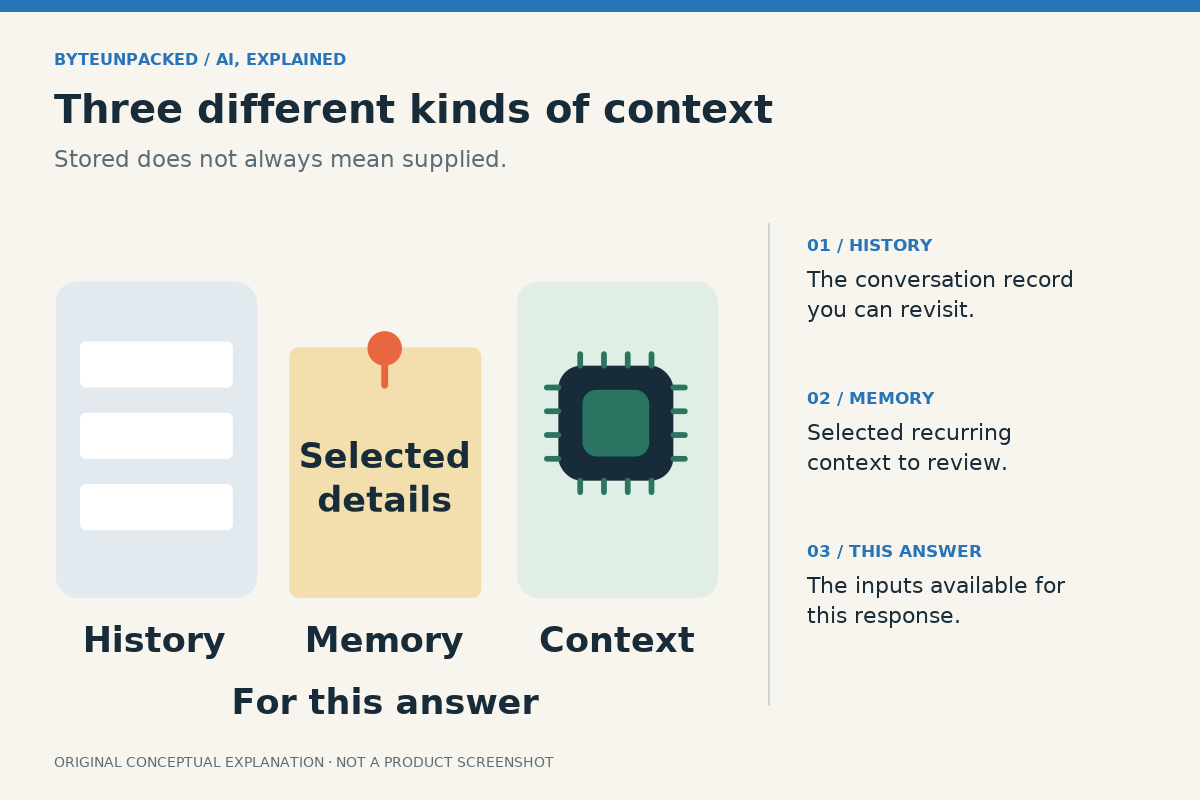
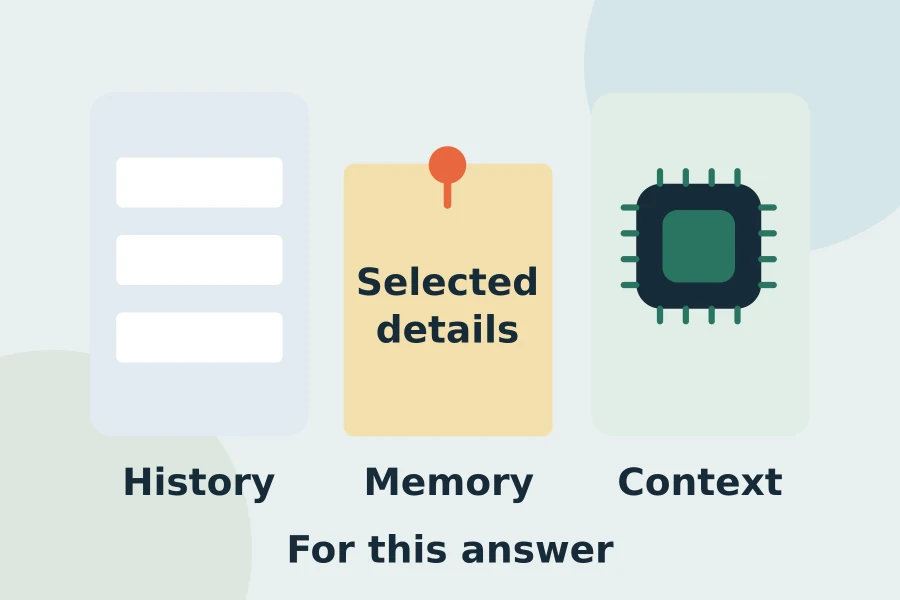
You return to an assistant after a week and ask it to continue a plan. It remembers your preference for short answers but misses the revised deadline. That combination is less mysterious when you separate three questions: is the old conversation stored, has a useful detail been saved as memory, and is the relevant information available for this particular answer?
Treat those as a practical troubleshooting sequence. First locate the actual plan. Then check its latest date and version. Finally provide or retrieve the parts needed for the next decision. A familiar writing style is a poor test of whether the assistant has the current facts. It can sound consistent while using an outdated assumption.

Context is the material available for a response
Anthropic describes a model’s context window as the capacity for information used within a request. Its API documentation includes conversation messages, instructions, documents, tool results, and generated output in that accounting. This is different from the list of conversations visible in an application. The application determines what it supplies or retrieves for a particular task.
For an everyday task, think about what must be present to answer correctly. If you want a comparison of two proposals, include both current proposals and your decision criteria. If you want a correction to last month’s spreadsheet, identify the spreadsheet and the relevant cells. Asking the assistant to remember everything is less useful than naming the evidence that matters.
Before a long task, request a short statement of the inputs it is using. Look for document names, dates, and unresolved assumptions. This does not prove the model will use every detail correctly, but it gives you a concrete starting point for catching a missing attachment or superseded draft.
History and memory serve different jobs
Claude provides a documented example of the distinction. Anthropic describes chat search as retrieving relevant information from past conversations, while memory stores selected context for use across conversations. Its current documentation also says deleting a chat does not automatically remove memory entries generated from it. These are product-specific behaviors; check the equivalent controls in your own service.
Use history when you need to recover what was actually discussed: the wording of a decision, the alternatives considered, or the source of a number. Use memory for recurring context that you want to review and maintain, such as a preferred explanation style. For an important deadline or budget, keep an authoritative record outside the assistant too.
Suppose a fictional project originally had a November deadline and later moved to December. A useful handoff says which dated plan supersedes the earlier one, what work remains, and which decision is still open. That is much more actionable than asking whether the assistant remembers the project name.
A fresh chat is not necessarily a clean slate
Anthropic distinguishes Claude’s incognito conversations from ordinary chats with memory disabled. Incognito chats do not enter visible chat history or memory, but the documentation still describes retention and says profile preferences can apply. Disabling memory for a regular chat can leave that conversation in history. These controls answer different questions about reuse, visibility, and storage.
When you want an independent review, say exactly what material the reviewer should use. Supply a self-contained brief and ask for conclusions grounded in that brief. If you are checking whether prior preferences are influencing the response, inspect the product’s memory and personalization controls as well. A new conversation title alone tells you little about those settings.
When you want privacy, read the handling rules for your account and feature. Do not infer that content is immediately erased simply because it is absent from the sidebar. For work accounts, include the organization’s controls in that check.
Keep a small handoff note
A short maintained note makes switching conversations easier without depending on perfect recall. Update it when the actual work changes, and link to the underlying files rather than copying every discussion. At the start of the next session, ask the assistant to identify any conflict between the note and the supplied documents before continuing.
- Name the goal, the current version of each important file, and the next concrete task.
- Record confirmed decisions separately from proposals and unanswered questions.
- Include dates and units for facts that could otherwise be misread.
- Review saved preferences when the assistant repeatedly applies an old assumption.
- Check consequential outputs against the authoritative record, even when the assistant seems to remember the project.
Sources & further reading
This is a source-based explainer, prepared with AI assistance and checked against the references above. It is not a hands-on product test. Read our editorial approach.