In this article5 sections
Separate the model from the application
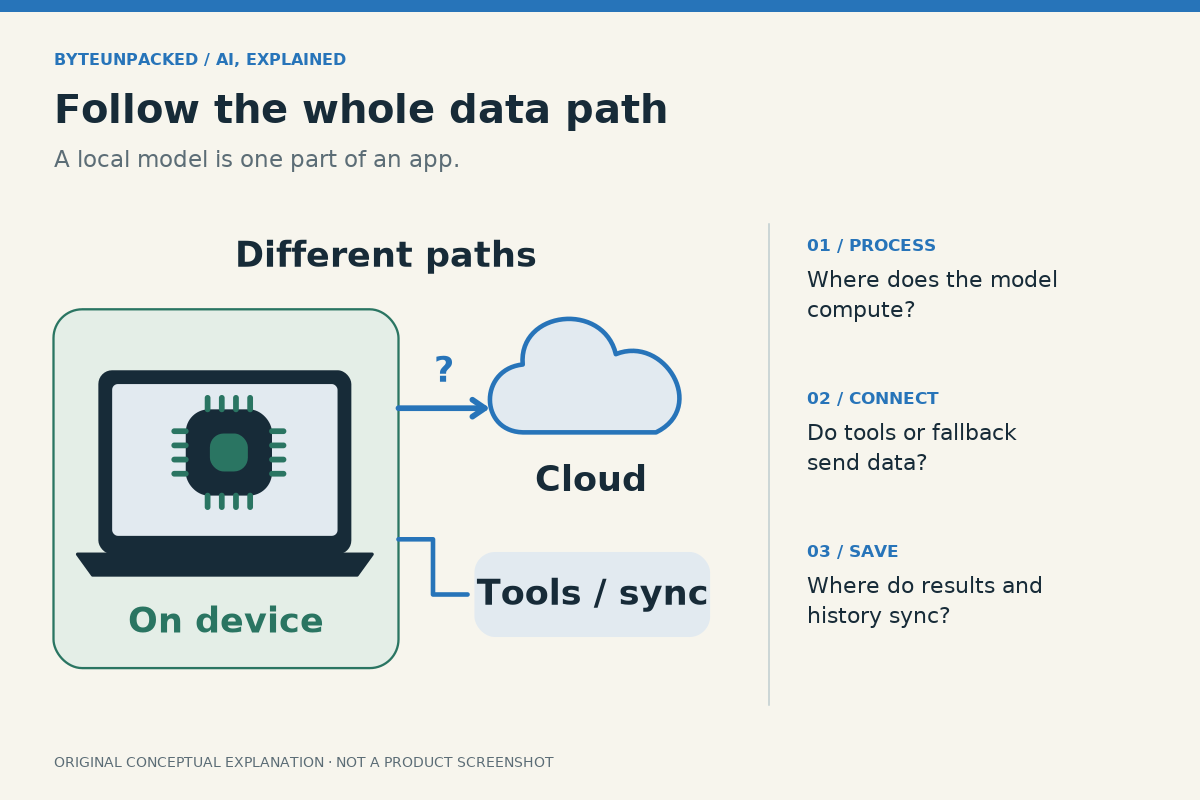
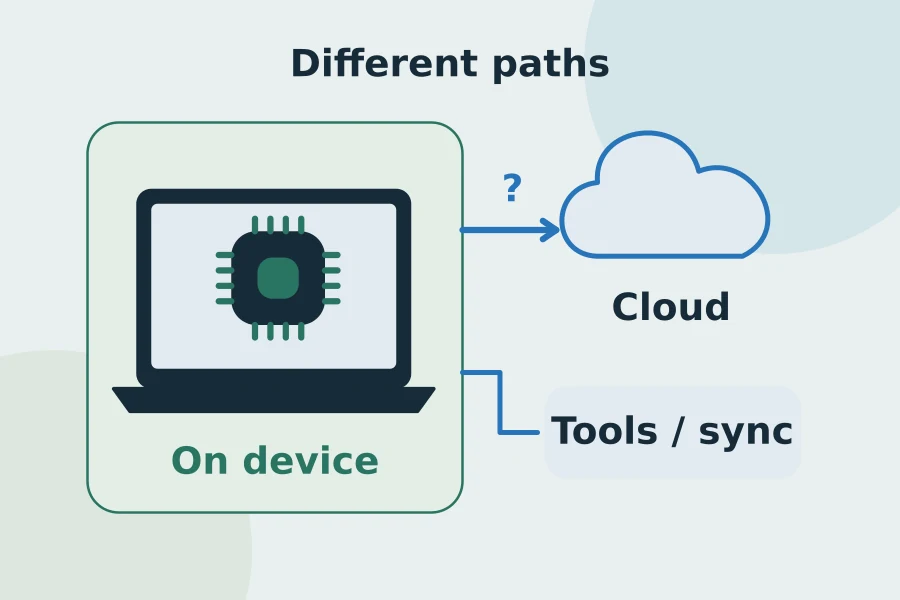
When an AI model runs locally, your device performs inference: the computation that turns an input into an output. A cloud model performs that work on remote infrastructure. This distinction matters, but a model is only one component of an application. The interface, document storage, search tools, account system, and saved conversation may follow different paths.
Consider a hypothetical notes app that rewrites a paragraph on your laptop, then synchronizes the edited note to an online account. The rewrite can be local while the note still leaves the device through sync. Equally, a desktop window can be a front end for a remote model. Installation location alone does not establish processing location. Ask about the specific feature you intend to use.

Look for a documented local boundary
Microsoft says its Foundry Local runtime processes inference inputs and outputs on the machine. Its FAQ distinguishes that from network activity for downloading models and refreshing catalog information. That is a useful example of a precise claim: it names the component and describes what its network traffic is for. It does not establish the behavior of every application built around that runtime.
Google describes Gemini Nano as an on-device model accessed through Android's AICore service. AICore processes requests locally, and Google says it retains neither their inputs nor outputs after processing. Model downloads use a separate service. Again, those are statements about an identified processing component. Check the surrounding app's storage and sharing settings separately.
For a tool you are evaluating, look for an explanation covering prompts, attached files, generated answers, and conversation history. A statement about model training addresses a different question from whether a request is transmitted or retained. If the documentation answers only one of those questions, the others remain open.
Check when the app switches to the cloud
Hybrid applications can choose between local and remote processing. Microsoft's developer guidance describes cloud fallback when a local model is unavailable, the device is unsupported, or a task needs a larger model. It recommends making that transition clear to users. A feature working locally on one supported device does not prove it follows the same route on another.
Apple Intelligence provides another example. Apple describes on-device processing for many tasks and Private Cloud Compute for more demanding requests. Apple says relevant request data sent to Private Cloud Compute is used to fulfill the request and is not retained by that service. These are Apple's specific privacy commitments for that processing path, not a general description of every cloud AI service.
Before sending sensitive material, find the controls for cloud fallback and connected services. Check whether the choice applies to one request, one feature, or the entire app. If you cannot determine the route, use non-sensitive material while you investigate rather than treating an on-device label as a complete answer.
Compare the task, not the marketing category
Local processing can continue without an internet connection once the required components are available. It also avoids the network trip for inference. Microsoft notes that actual performance still depends on device resources, while cloud services provide access to remote computing capacity. Google likewise identifies hardware and model capability limits when describing local inference. Neither arrangement guarantees the better answer for your particular task.
Try a small comparison using harmless material: rewrite the same paragraph, summarize the same short document, and extract the same action items. Decide beforehand what a correct result must preserve. Record errors, response time, and the effort needed to fix the answer. If you care about travel use, repeat the local task with networking disabled after setup.
An offline test demonstrates that a particular task can finish offline in that configuration. It does not prove the app never communicates when connected. Include installation size, device load, subscriptions, and maintenance in your decision; local processing is not automatically cost-free, and remote processing is not automatically unsuitable.
Make a short data-path checklist
Choose the narrowest arrangement that does the job and meets your handling requirements. Keep the original document available so you can check the output regardless of processing location. Revisit your assumptions after changing the app, model, account, or device, particularly if a previously unavailable cloud feature becomes enabled.
- Identify the feature and model doing the work; confirm whether that request is local, remote, or hybrid.
- Check prompts, attachments, output storage, sync, and connected tools as separate parts of the path.
- Read the applicable retention and training settings for your account type.
- Find the fallback control and decide what may leave the device before adding private files.
- Compare accuracy and practical performance with a small, non-sensitive task.
Sources & further reading
This is a source-based explainer, prepared with AI assistance and checked against the references above. It is not a hands-on product test. Read our editorial approach.