In this article5 sections
One inbox can use several services
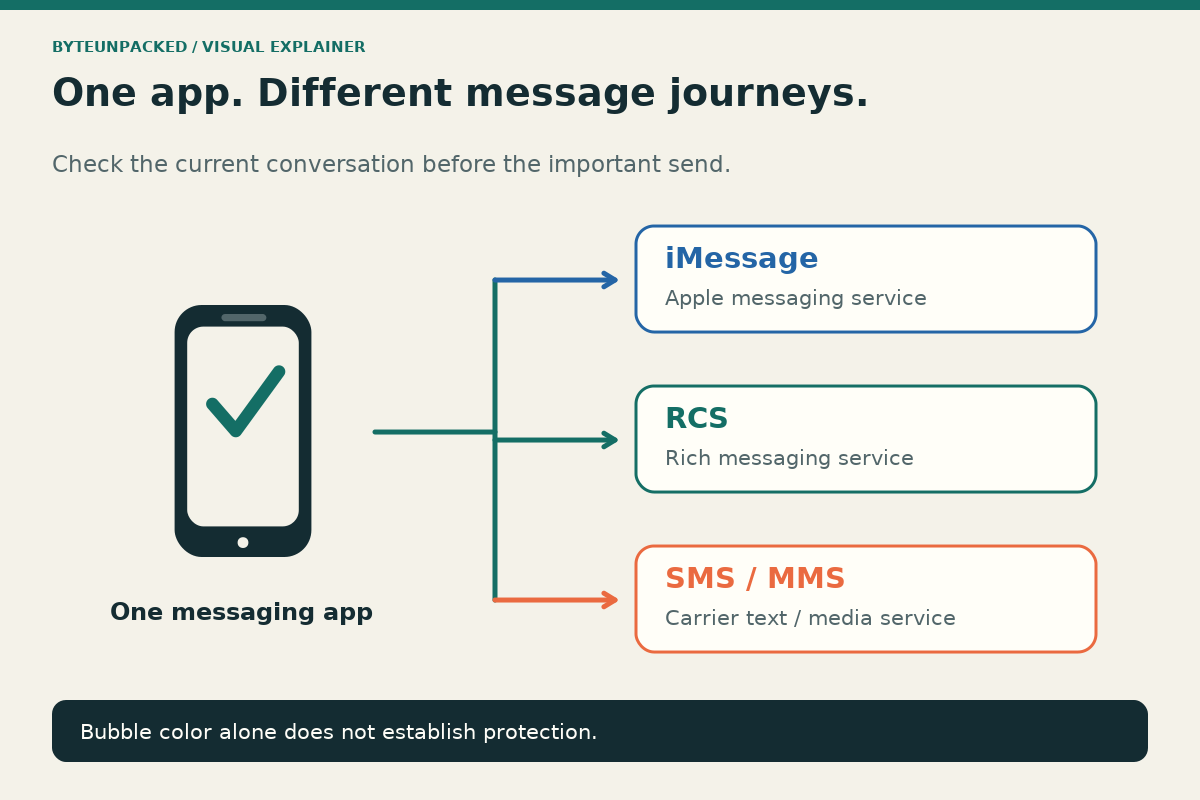
A familiar conversation screen can make every message look like the same kind of communication. It is more useful to separate the app you open from the service carrying a particular message. The same contact can be reached using different methods, with different features and privacy properties. Check the current conversation rather than relying on what worked last week.
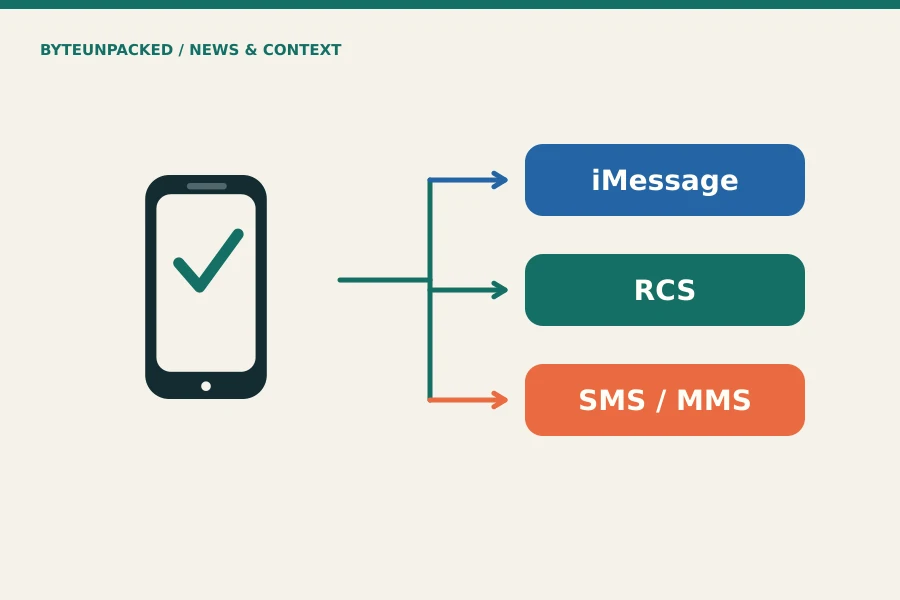
Apple's Messages app supports iMessage, RCS, and SMS/MMS. iMessage works between compatible Apple devices over Wi-Fi or cellular data and uses end-to-end encryption. On an iPhone, blue bubbles identify iMessage. Green bubbles can mean RCS or SMS/MMS, so green alone does not tell you which service is in use or establish its encryption status.

Rich messaging features are useful clues
Google describes RCS as a messaging standard that supports high-resolution media, typing indicators, read receipts, and sending over Wi-Fi or mobile data. The relevant people must have compatible RCS service enabled to use those capabilities together. Availability depends on the devices, apps, and service providers involved; installing a messaging app is not the same as confirming that a particular conversation is using RCS.
SMS is the basic text service; MMS adds media support with limitations such as file-size restrictions and compression. Google distinguishes both from RCS in its messaging guide. Seeing a typing indicator can help explain a change in the experience, but do not make it your security test. Likewise, a missing read receipt does not prove a message failed: people can choose whether to send read receipts.
For troubleshooting, note what changed: the phone, app, SIM or carrier, connection, or conversation participants. That short history is more useful than assuming a bubble color identifies the cause. Test with a harmless message before sending information whose delivery or confidentiality matters.
RCS encryption is a conversation-level check
Cross-platform RCS encryption is no longer accurately described by saying that every Android-to-iPhone chat is unencrypted. Google's May 2026 announcement describes a beta rollout involving iPhones with iOS 26.5 and supported carriers, together with Android phones running the latest Google Messages. It says encryption is enabled progressively for eligible new and existing conversations and uses a lock icon to identify protection.
That announcement is not a guarantee that every RCS chat is encrypted. Apple's current support page says every participant's carrier must support the encrypted service. In Messages, an encrypted RCS conversation shows a lock and an Encrypted label. Without that indicator, Apple says the conversation lacks that end-to-end protection. SMS and MMS do not provide end-to-end encryption.
The practical conclusion is to check the indicator in the conversation you are about to use. Neither a protocol name nor a rollout announcement substitutes for that observation. If protection is absent or ambiguous, pause the sensitive message and agree on a channel whose encryption status you can confirm. This is a decision rule, not a claim that encryption alone makes a recipient trustworthy.
Check the send method and fallback settings
In Google Messages, open your profile menu, Messages settings, then RCS chats to inspect service status. Google's instructions distinguish Connected from states where the phone number is still being verified. Connected establishes that your phone can use RCS with other enabled contacts; it does not independently establish the security of every conversation.
Google also documents the send icon as a way to distinguish delivery over data from SMS or MMS. Review the Resend messages option in the RCS settings: it controls how an unsuccessful message can be resent. If a message will use SMS or MMS, reassess it before sending, especially if you originally expected encrypted RCS.
Avoid repeatedly switching RCS off and on as a generic repair. Google warns that doing so removes you from group chats. Follow the documented troubleshooting path for the actual status instead. After changing phones, carriers, or messaging apps, make checking a test conversation part of the setup rather than assuming the previous configuration carried over.
Use a short check before the important message
Keep delivery and privacy as separate questions. A successfully delivered message establishes that something arrived; it does not explain the transport's protections. An encryption indicator answers a different question and does not establish who currently controls the receiving device. For important information, confirm both the destination and the method.
Messaging support changes over time. Recheck your app's current instructions after a significant update, and inspect the conversation again when its participants change. You do not need to memorize every implementation detail to make a better decision at the send button.
- Confirm the intended person and conversation.
- Check the current delivery method, not just the bubble color.
- For sensitive content, confirm the conversation's encryption indicator.
- Review any resend or fallback choice before accepting it.
Sources & further reading
This is a source-based explainer, prepared with AI assistance and checked against the references above. It is not a hands-on product test. Read our editorial approach.