In this article5 sections
Prepare while Windows still starts
A repair appointment is a poor time to discover that the only copy of an important recovery secret sits inside the computer being repaired. Before a hardware change or service visit, check whether your Windows device uses encryption and locate its recovery information. Keep this task separate from backing up your documents: you want both access preparedness and a recoverable copy of important work.
Microsoft explains that BitLocker can request a 48-digit recovery key when it cannot automatically unlock an encrypted drive, including after certain hardware changes. That number is different from your normal Windows sign-in PIN. A successful everyday sign-in therefore does not prove that you possess the recovery information needed in a different startup situation.
Our suggested starting point is a short record containing the computer’s name, the relevant account, and the location of its recovery information. Keep secrets out of that ordinary inventory. The inventory should help you find the protected record without becoming another unprotected copy of the key.

Check encryption and identify the responsible account
Device Encryption can be available on eligible Windows Home devices as well as other editions. Microsoft distinguishes it from the BitLocker Drive Encryption management feature offered with Pro, Enterprise, and Education. Do not conclude that a home laptop is unencrypted merely because you never opened the traditional BitLocker control panel.
On a compatible Windows 11 device, check Settings, Privacy & security, Device encryption. Microsoft says setup with a Microsoft account or a work or school account can enable Device Encryption and attach a recovery key to that account. Availability depends on the device; a missing settings page is a reason to consult the documented requirements, not to guess its protection state.
Consider who originally configured the machine. A family member’s account, a previous setup account, or an organization may be relevant. For a managed work or school computer, ask IT which recovery procedure applies. Do not move an organization’s recovery secrets into your personal storage or change encryption settings to simplify a repair.
Find the key and distinguish it from its identifier
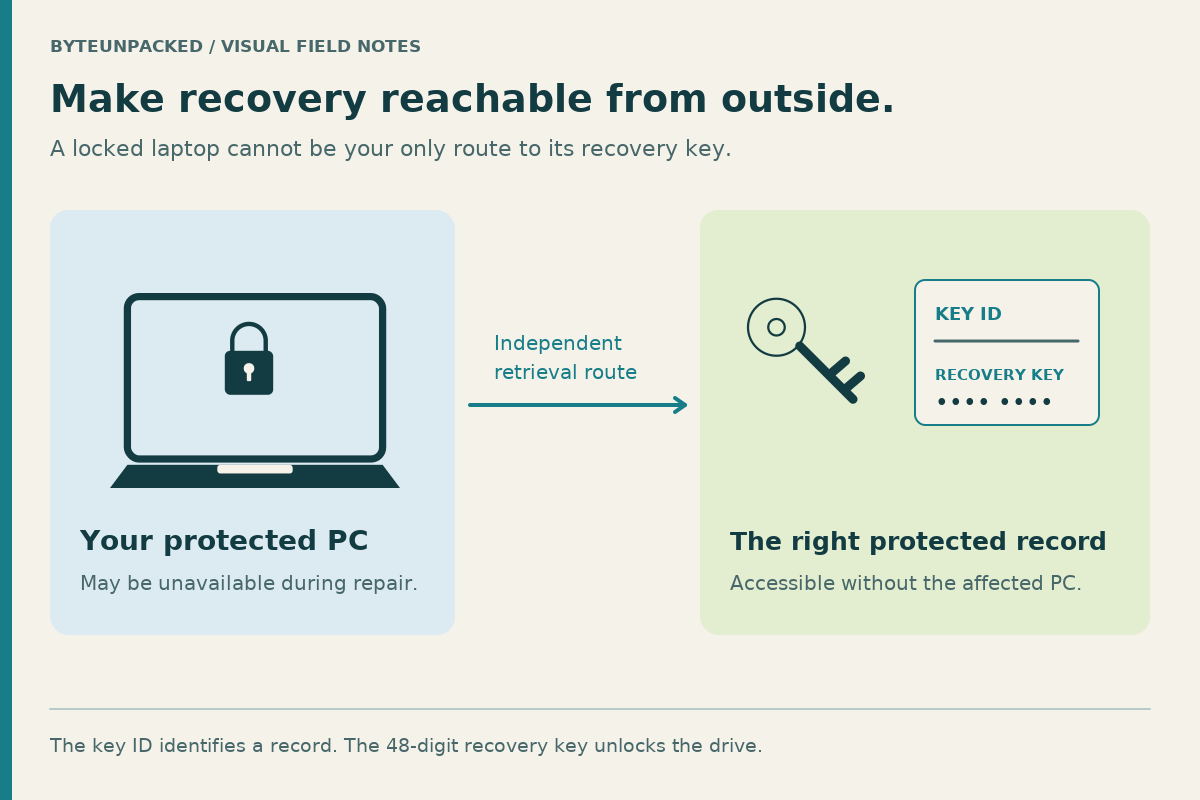
Microsoft’s recovery guide directs personal-account users to https://aka.ms/myrecoverykey from another device. Sign in through that official destination and inspect the available records. A recovery key ID identifies a particular key; it is not the 48-digit unlocking number itself. If a recovery screen is already displayed, Microsoft says to note its first eight ID digits to identify the matching record.
For preparation, review the device and drive information attached to your records and investigate anything ambiguous while the PC is usable. Finding one old key in an account is weaker evidence than knowing which protected drive it belongs to. Avoid deliberately triggering recovery just to prove that a record exists.
If the key is not in the expected account, work through Microsoft’s listed locations and your original setup records. A printed copy or USB storage may have been used. Do not post a recovery-screen photograph containing secrets in a public forum or hand a key to someone who contacts you unexpectedly offering recovery help.
Keep a reachable copy outside the affected computer
Where the Manage BitLocker interface is available, Microsoft documents Back up your recovery key beside the relevant drive. Depending on your configuration, offered destinations include an account, USB storage, a file, or a printout. Follow the options actually available on your device and your organization’s rules.
Microsoft specifically warns against keeping a printed key or its USB drive together with the computer. Anyone obtaining both could use the recovery secret to access the encrypted information. A file saved only on the drive that may become locked also fails the practical availability test.
Our recommendation is to check the entire retrieval route: could you reach the protected copy using a different device if this PC stopped starting? Confirm that you can sign in to the storage account without depending entirely on the affected machine. For a printed copy, check that it is readable and stored in a location you can access. Record when you last checked, without copying the digits into your general maintenance notes.
Agree on the repair process before handing it over
Ask the service provider what work is planned, whether user-data access is necessary, and whether the process might erase or replace storage. Provide only the access needed for the agreed work through an appropriate channel. A recovery key is sensitive access information, not a routine device serial number.
If the machine is already locked and the key is missing, pause destructive recovery attempts. Microsoft says its support staff cannot recreate a lost BitLocker recovery key; resetting a device in this situation removes its files. Preparation is valuable precisely because recovery is not guaranteed after every credential is lost.
- Check the encryption state before a hardware change or repair.
- Identify the account or IT team responsible for recovery.
- Distinguish the key ID from the actual recovery number.
- Verify access to a protected copy away from the PC.
- Maintain a separate backup of important files.
Sources & further reading
This is a source-based guide, prepared with AI assistance and checked against the references above. It is not a hands-on product test. Read our editorial approach.